Scanned Bank Statement to Excel: How to Extract Data from 'Flat' Images
Here is a frustrating situation:
You have a stack of old paper bank statements. You scan them into your computer or take photos of them with your phone. You open the PDF, try to highlight the text to copy it, and… you can’t.
The cursor just drags a box around the whole page.
That’s because your computer doesn’t see a document. It sees a picture. To your computer, that list of transactions is no different than a photo of a sunset.
If you are searching for “Scanned bank statement to Excel”, you have probably already tried a standard PDF converter and got back an empty file or a weird image pasted into a spreadsheet.
Don’t worry. You don’t have to type it out by hand. You just need the right tool.
Why Normal Converters Fail with Scans
Most free PDF tools look for a “text layer” in the file. Electronic PDFs (downloaded directly from the bank) have this layer.
Scanned PDFs do not.
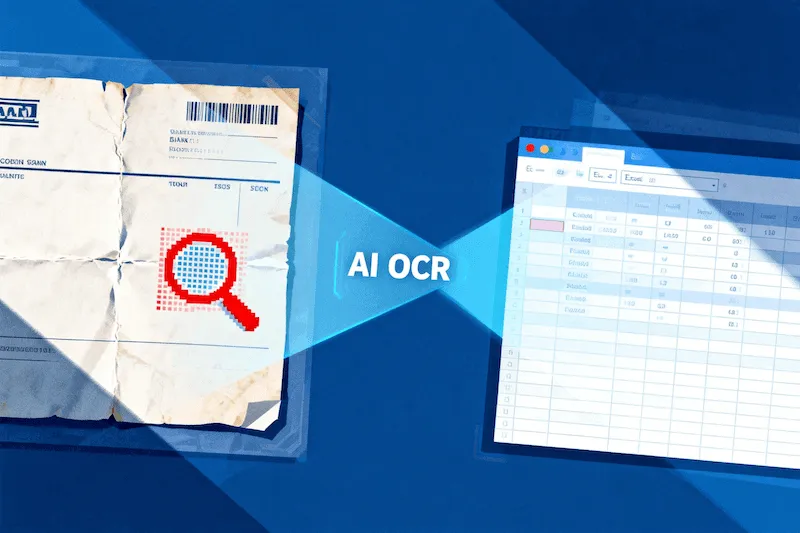
To turn a scan into an Excel sheet, you need technology called OCR (Optical Character Recognition). This is the technology that “reads” the pixels in an image and translates them into letters and numbers.
But be careful: Generic OCR tools (like the ones built into general PDF editors) are bad at tables. They often mix up the columns, putting the “Withdrawal” amount in the “Description” column, which makes the Excel file useless for accounting.
The Solution: AI-Tuned OCR for Finance
Our Bank Statement Converter uses a specialized OCR engine trained specifically on financial layouts.
It knows what a date looks like. It knows what a credit/debit column looks like. It can even handle imperfect scans that are slightly crooked or low-resolution.
How to Digitize Your Paper Statements
Here is how to turn that stack of paper into a clean Excel file in 3 steps:
Step 1: Upload Your Scan
Go to our converter page. Drag and drop your scanned PDF, JPG, or PNG file.
- Tip: If you are taking photos with your phone, try to keep the page flat and well-lit for the best results.
Step 2: Auto-Detection
Our AI will detect that the file is an image. It automatically engages the OCR engine to scan the visual structure of the document. It ignores coffee stains, hole-punch marks, and handwriting in the margins.
Step 3: Download Excel
In a few seconds, the process is complete. You can download an Excel (XLSX) or CSV file.
When you open it, you won’t see an image. You will see editable cells, real numbers, and formatted dates.
From Shoebox to Spreadsheet
Many of our users differ from the typical “digital native.” They are helping elderly parents organize finances, auditing a business that keeps paper records, or digitizing years of archived tax documents.
We built this tool so you don’t have to be a data entry clerk.
Whether your statement is a crisp digital download or a crumpled piece of paper from 2015, we handle it.